 FarryOn
Your plan
Every account starts with a free trial. When you need more, pick a plan in the app and pay securely by card. Here's how to see what you've used and how to upgrade.
1See your plan and usage
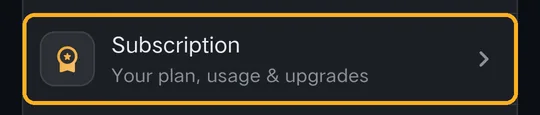
Open the menu ⋯ → Settings. Under Account, tap Subscription:
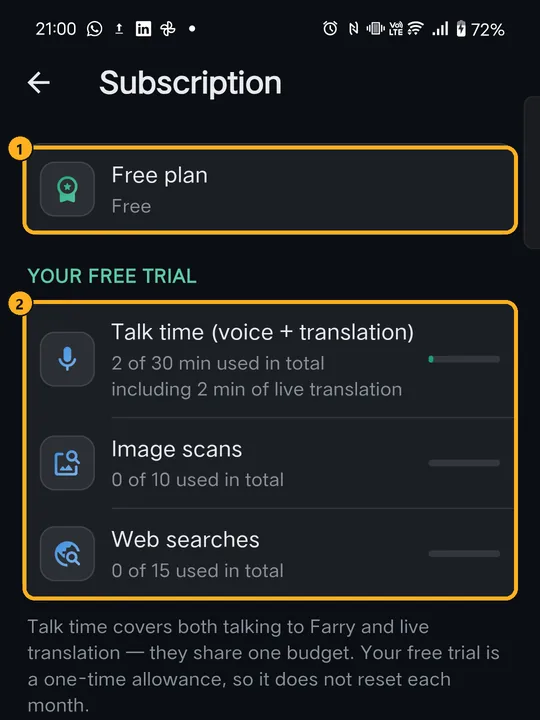
- Talk time — minutes talking to Farry and using live translation. They share one budget.
- Image scans — each time Farry looks at a photo (“what is this?”).
- Web searches — each time Farry searches the internet for you.
2Compare the plans
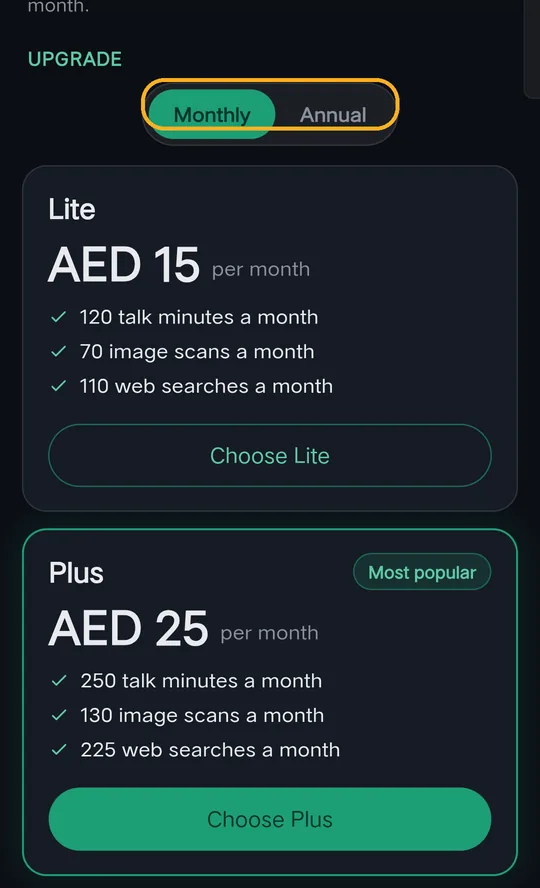
Scroll down to Upgrade. There are three plans:
| Plan | Each month |
|---|---|
| Lite | 120 talk minutes · 70 image scans · 110 web searches |
| Plus (most popular) | 250 talk minutes · 130 image scans · 225 web searches |
| Pro | 400 talk minutes · 240 image scans · 400 web searches |
Prices are shown in your local currency. The screenshots show UAE prices (AED).
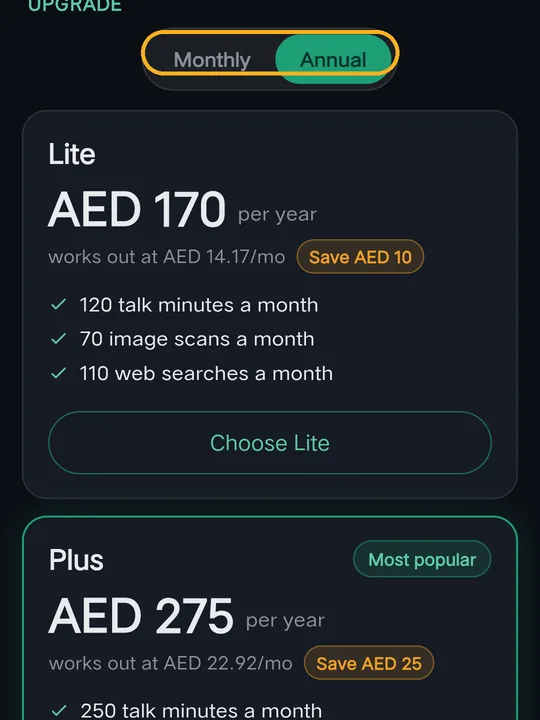
Tap Annual to pay for a year at once. Each plan shows what it works out to per month and how much you save.
Where a plan is a one-time payment (for example in India), it says “One-time payment · no auto-renew” — it covers the period shown and doesn't renew by itself.
3Upgrade
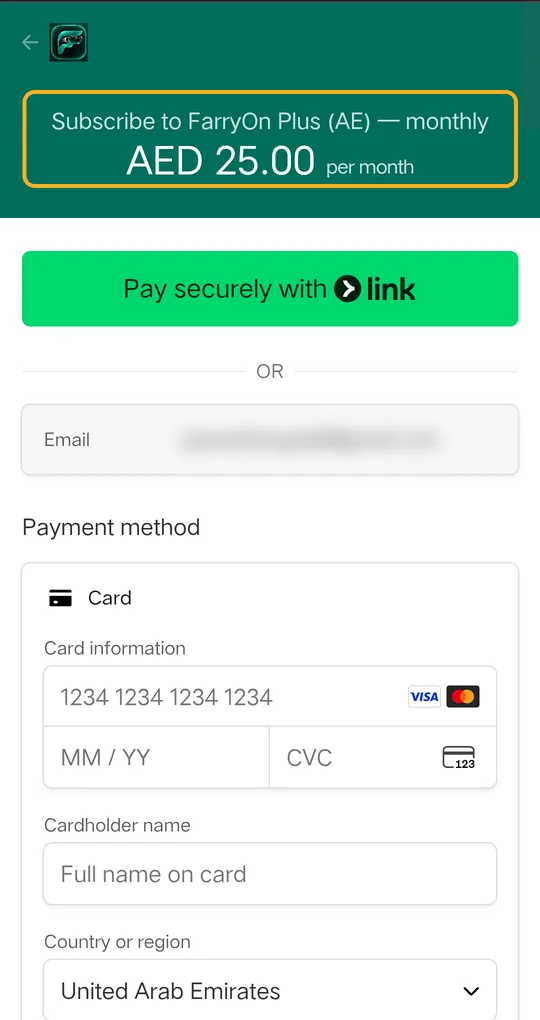
- Tap Choose Lite, Choose Plus or Choose Pro.
- A secure payment page opens in your browser, run by Stripe (address starts with
checkout.stripe.com). Check the plan and price at the top. - Enter your card details — or use Link, Google Pay or Apple Pay if offered — and confirm.
- Go back to FarryOn. Your new plan shows on the Subscription page within a minute.
4When you run out
- When your talk time is used up, Farry tells you, and you can upgrade from the Subscription page.
- On a paid plan, your allowance refills at the start of each billing month.
- Notes, reminders and past chats are never deleted because of your plan.
Cancel or change your plan
Message us on WhatsApp and we'll change or cancel it for you. A monthly or annual plan stays active until the end of the period you've paid for.
?If something goes wrong
| What you see | What to do |
|---|---|
| Plans say “Coming soon” | Payments aren't switched on in your region yet. Your free trial keeps working. |
| I paid but still see the Free plan | Wait a minute and reopen Subscription. Still Free? Message us with the email on your receipt. |
| The payment page won't load | Pull down to reload, check your internet, or tap Choose again. |
| Card declined | Try another card, or ask your bank to allow online payments. |
Still stuck? Message us on WhatsApp — a real person answers.
Sat–Thu, 10:00–19:00 GST